Install Claude, step by step
From zero to your first AI conversation in 15 minutes.

Hi Claude! I just installed you. What are three things you could take off my plate this week?
Claude is an AI assistant you talk to the way you talk to a person. No special words, no code. You type what you want, Claude sends back a draft, you say what to change, and the next answer is better. That back and forth is the whole skill, and it is what this lesson teaches. You go from nothing installed to a first real conversation, free, in about fifteen minutes.
Why this matters
You have been hearing about AI for years and still have not typed anything into one. That is not a knowledge problem. It is a setup problem: nobody ever sat next to you for the first fifteen minutes. This lesson is that fifteen minutes. Once the account exists and the app is on your screen, there is nothing left to get past. Every other lesson on Loop starts from here, so this is the one to finish today.
Before and after
Here is what changes on the day the account exists.
- Claude is one click away on your desktop.
- You ask in plain words and get a usable draft.
- The scary first fifteen minutes are behind you.
- You read about AI and never open one.
- You ask a friend to "try it for you".
- Every small writing job still eats an hour.
Drag to compare
- One hour of writing and rewriting
- A favour asked of a busy friend
- You send it and still feel unsure
- Two minutes to ask and read
- A draft you edit into your own words
- You send it and move on
What you need
Four things, and you probably have all of them already. A computer with a web browser, an email address you can open right now, about fifteen minutes, and no money at all. The free plan covers everything in this lesson and everything in the next one.
A page that asks for your card here is not Claude, and typing your details into it can cost you real money. Nothing here needs a card, so check the address reads claude.ai and close anything that does not.
Steps
Six steps. The first three get you running. The last three make you good at it.
Create your free account
This step gets you an account that works in every place Claude runs. Open claude.ai in your browser and sign up with your email address or with your Google account. If you use email, Claude sends a short code to your inbox, so open it and paste the code back. You answer your name and two setup questions, which takes seconds.
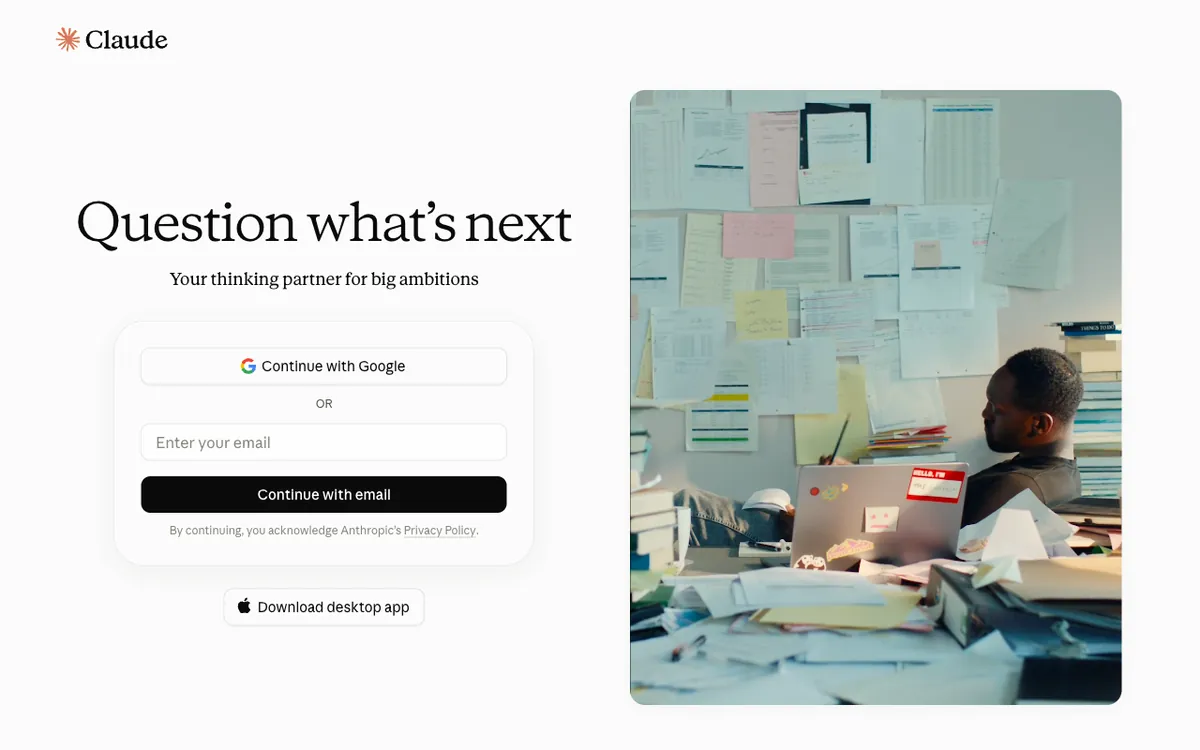
You should now be signed in to Claude, looking at an empty conversation, with nothing charged to anything.
If not: No code in your inbox after a minute? Look in your spam folder, then ask for a new code on the same page.
Get the desktop app
This step puts Claude one click away instead of one tab hunt away. Go to claude.com/download, pick the version for your computer, and install it like any other app. Sign in with the account from step 1. Your conversations travel both ways, so a chat you start in the app is waiting for you in the browser too.
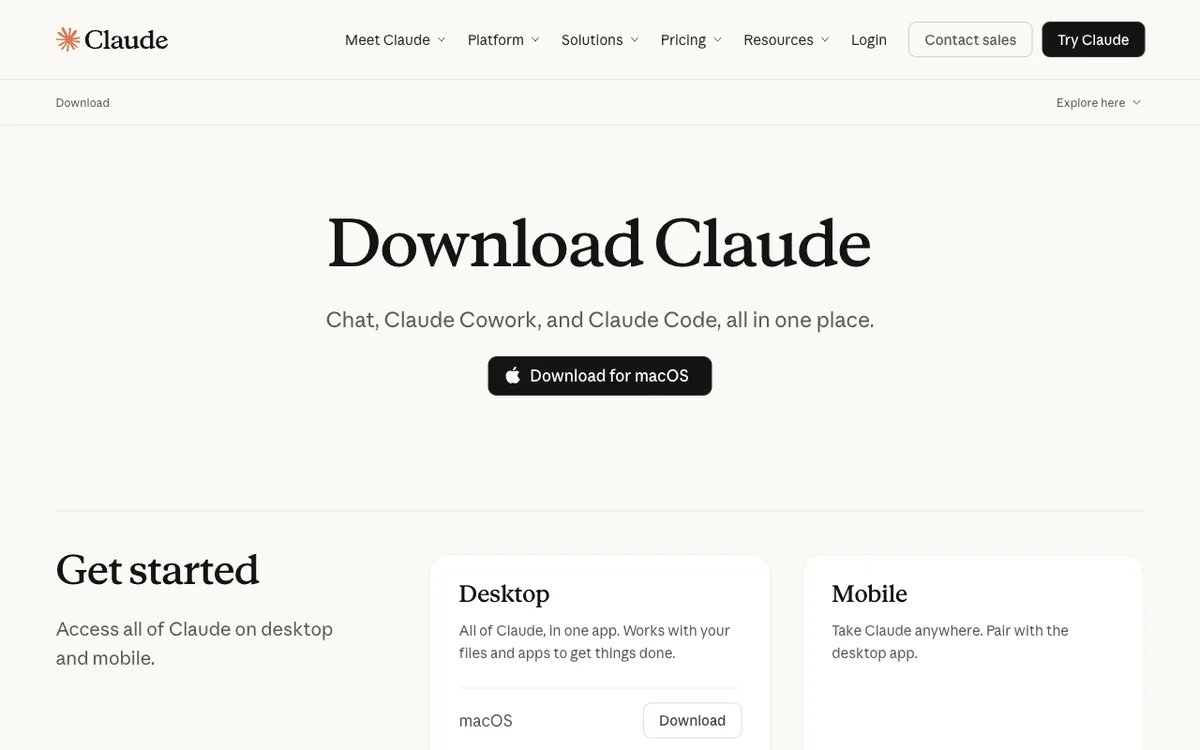
Claude opens in its own window, signed in, holding the same conversations you saw in the browser.
Nothing to copy across. Signing in is what brings them over.
The browser version works forever and misses nothing, so this step is a comfort, not a requirement. The app earns its place on speed: it opens fast and never gets lost among thirty tabs.
I'm going to describe my job in one paragraph. Ask me five questions that would help you…
Have your first conversation
You are one message away from the thing you have been putting off. You see one big text box, and that is the entire interface. Type in normal language, English or Thai. Press Enter to send. Hold Shift and press Enter when you want a new line instead of sending. Start with something you actually need rather than saying hello.
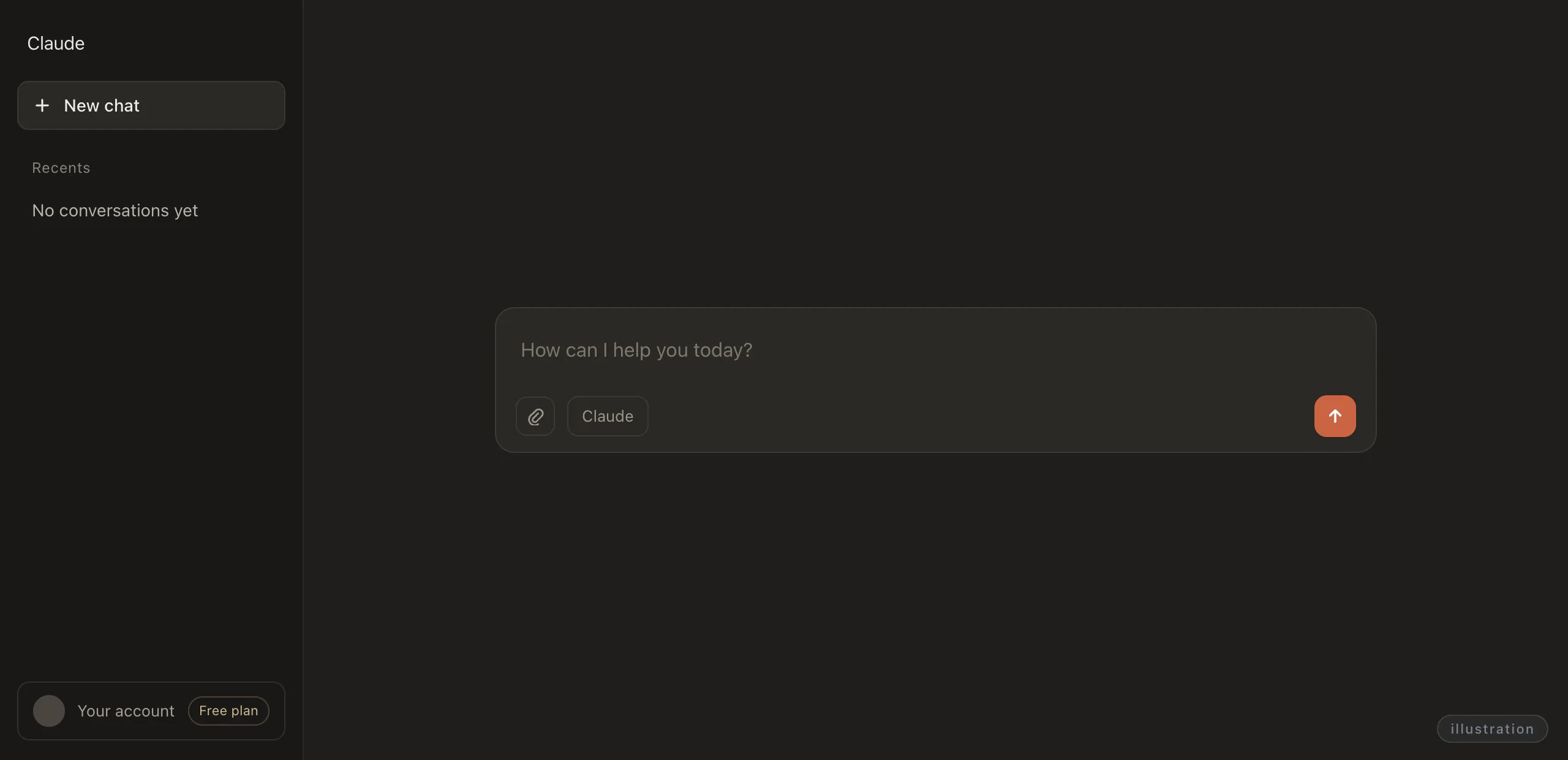 1234
1234- 1The single text box. This is the entire interface.
- 2The send control, for when you would rather click than press Enter.
- 3New chat starts a clean conversation with none of the old talk in it.
- 4The plan label reads Free, because no card was ever asked for.
I'm going to describe my job in one paragraph. Ask me five questions that would help you help me better. Here it is: [describe your job]
You should now have one conversation holding your paragraph, with five questions from Claude under it.
If not: Pressed Enter and nothing moved? Check your words are really in the box, press Enter again, and give it a few seconds.
Rewrite that in half the length, keep the two strongest points, and tell me what you cut…
Push back until the answer is good
Notice what happened: you were not precise, you used no special words, and it still worked. The first reply is a draft, not a verdict, and the people who get the most out of Claude are the ones who answer back. Four notes work almost every time: shorter, you missed something, give me three options, explain why you chose that.
Rewrite that in half the length, keep the two strongest points, and tell me what you cut and why.
A shorter version of the same answer, then a short list of what got cut and why.
Your wording will be different from anyone else's. That is fine.
One chat, one topic
Chats cost nothing, so spend them. Start a new chat whenever you switch topics, and the context (everything you said earlier in that chat) stops leaking into the new answers. Name any chat you will want again. The list of chats down the side is searchable, so "Monday pricing email" comes back in one second and "Untitled" never does.
- Three topics tangled in one thread
- Answers drift toward the wrong one
- You cannot find it again next week
- Each chat holds one subject only
- Answers stay on that subject
- The name finds it in a second
Two chats in the side list now, each carrying a name you chose instead of Untitled.
You can rename a chat at any time, not only when you start it.
Never paste these
This is the one rule in the lesson with a real cost attached, so it gets its own step. Your own work is safe to send: a draft you wrote, your job description, a public menu, a photo of your own notes. Other people's secrets are not, and neither are yours.
- A draft you wrote yourself
- Your job description
- A public menu or price list
- Passwords of any kind
- ID card and passport numbers
- Bank and card numbers
- A client's private files
A password or a bank number pasted into a chat tool is out of your hands for good. Type those into the real site and nowhere else, this tool included.
Use cases
Three people, three different jobs, one move underneath all of them: ask for a few options, then ask which one to pick.
- Asks for three rewrites of one message, then picks the one that sounds like her
- Asks for one plain explanation, then a question back to check he got it
- Asks for three realistic plans, then asks which one to actually do
Ploy loses an hour a day to customer messages that come out wrong when she is tired. She pastes her awkward draft in, asks for three versions, and picks the one that sounds like her. Forty seconds instead of ten minutes, and she keeps the best ones in a note to reuse.
Here's a message I need to send but I don't like how it sounds. Rewrite it three ways: warmer, shorter, and more direct. [paste your message]
Beam sits in meetings where one word keeps coming up and everyone acts like it is obvious. Instead of googling it and ending up with ten tabs, he asks for one clear explanation and one everyday example. Then he lets Claude check whether he actually understood.
Explain [the topic you keep nodding along to] like I'm smart but have never heard of it. Use one example from everyday life, then ask me one question to check I actually understood.
Fern has a fridge full of odd ingredients, two hours, and no patience for recipe blogs. She lists what she has and asks for realistic options plus a recommendation, not a menu. The answer is short enough to act on straight away, so she now does the same for weekend plans and gifts.
I have [these ingredients / this much time / this budget]. Give me three realistic options, then tell me which one you'd pick and why.
Try it
Pick one level. Each one leaves something different in your hands.
- A shortlist of what AI is worth using for in your week
- A rehearsal where being bad at it costs you nothing
- A real argument against the side you are leaning toward
Ask me two questions about my job. Then tell me three things AI is genuinely good for in my situation, and two things I should not use it for.
Be my interviewer. I'm applying for [role]. Ask me one question at a time, wait for my answer, then tell me honestly how that answer landed.
Here's a decision I'm stuck on: [describe it]. Argue as hard as you can for the side I'm leaning away from. Then tell me which argument is actually stronger, and why.
What's next
Chat Claude is good with words, and words are where it stops. It cannot open your folders, read your files, or save anything on your computer, so everything has to travel by copy and paste. The next lesson installs Claude Code (the version that works inside your own files), which reads them, changes them, and makes new ones while you watch. About twenty minutes, still free.
Chat Claude cannot touch your computer. That single limit is the whole reason the next lesson exists.
Hi Claude! I just installed you. What are three things you could take off my plate this week?